
Shopify SEO Checklist for 2026: 25 Fixes to Rank Higher and Sell More
Shopify gives you a solid SEO foundation out of the box: a sitemap, editable robots.txt, clean URLs and fast hosting. But a good foundation isn’t the same as ranking. Most stores we audit are missing a handful of simple fixes that hold them back.
Use this checklist to review your own store. We have grouped the 25 fixes into four pillars.
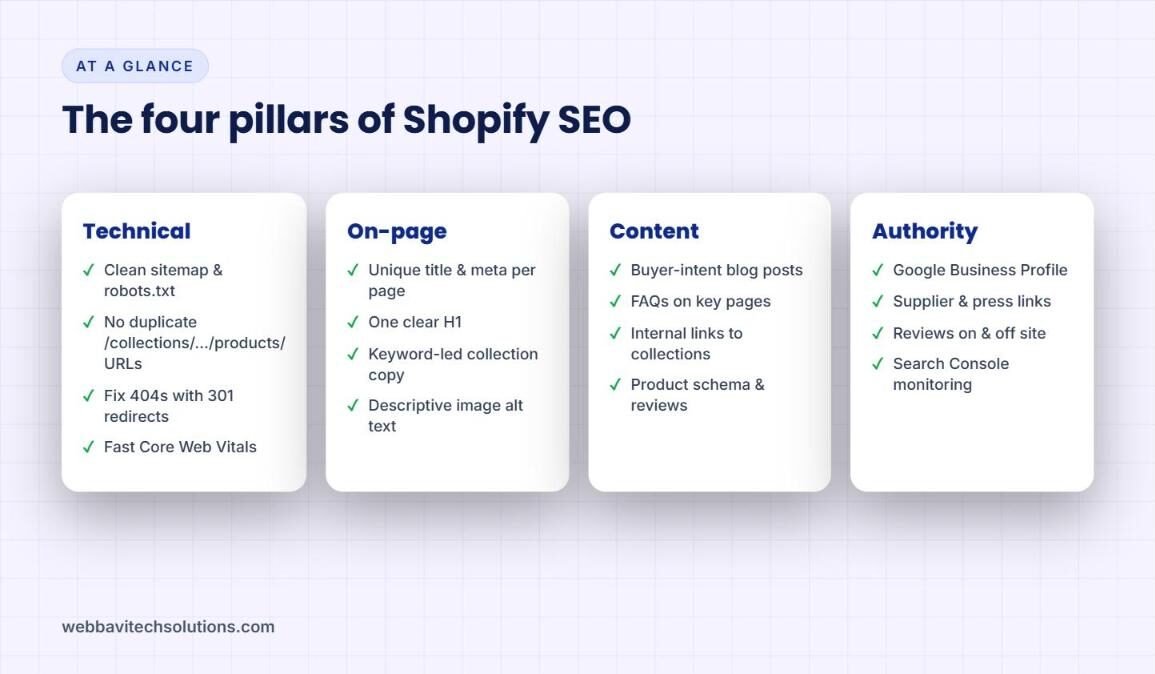
Technical SEO (1–7)
- Verify your store in Google Search Console and submit
yourstore.com/sitemap.xml. - Check the Pages report in Search Console for pages that aren’t indexed, and find out why.
- Fix duplicate product URLs. Many themes link to products through
/collections/…/products/…. Make sure your theme links to the main/products/URL instead. - Redirect old or deleted pages with 301 redirects under Online Store → Navigation → URL redirects.
- Pass Core Web Vitals on mobile: LCP ≤ 2.5 s, INP ≤ 200 ms, CLS ≤ 0.1.
- Use one domain version and set it as primary, so all other versions redirect to it.
- Hide thin pages such as tag pages or empty collections from search if they add no value.
On-page SEO (8–15)
- Write a unique title tag for every product, collection and page (around 50–60 characters).
- Write a meta description that sells the click, not just repeats the title.
- Use one clear H1 per page, usually the product or collection name.
- Target a keyword per collection. Collections often rank better than individual products for broad searches.
- Add 100–300 words of helpful copy to key collection pages.
- Write your own product descriptions instead of copying the manufacturer’s text.
- Add descriptive alt text to product images.
- Keep handles short and readable, for example
/products/wool-dryer-balls.
Content (16–21)
- Publish buyer-intent blog posts that answer the questions your customers search before buying.
- Link from blog posts to collections and products so readers (and Google) find what you sell.
- Add FAQs to key product and collection pages.
- Use product structured data (price, availability, reviews) so you can appear with rich results. Most good themes include it; check it with Google’s Rich Results Test.
- Collect and display reviews on product pages.
- Refresh old content once or twice a year so it stays accurate.
Authority (22–25)
- Set up a Google Business Profile if you have a physical location or showroom.
- Get links from suppliers, partners, local press and niche blogs instead of buying cheap links.
- Encourage reviews on and off your site.
- Track progress monthly in Search Console: clicks, impressions and top queries.
Where to start
If you only have an afternoon, start with numbers 1, 3, 8, 9 and 12. Those fixes usually have the fastest impact on how your store shows up in Google.
Want a Shopify SEO audit?
We run technical and on-page SEO audits for Shopify stores and fix what we find. See the stores we have worked on in our case studies.
